
It is 3pm on a Tuesday. Claire, the operations manager at a 28-person recruitment agency, is watching a demo of the new AI-assisted candidate communication system. The MD is in the room.
The demo goes well. The AI drafts personalised follow-up emails for shortlisted candidates. It pulls in the right job titles, the right client names, the right tone. Claire is impressed. The MD nods along.
Then he asks the question that ends the meeting.
"What happens when it sends the wrong email to the wrong person? What if it gets something wrong and it goes out to our biggest client before anyone checks it?"
The demo stalls. The nods stop. The project gets shelved.
The Fear Is Legitimate — and Common
That moment in the conference room happens more often than anyone in the automation industry likes to admit.
It is a considerable reason why businesses get excited about AI, go quiet for three weeks, and then come back with "we've decided to hold off for now." The worry is not irrational. AI does make mistakes. It misreads context. It occasionally produces something confidently wrong. Any advisor who tells you otherwise is selling you something.
So the MD's concern was entirely reasonable. What he was picturing — an AI firing off an embarrassing, incorrect, or contractually awkward email to a key client without anyone seeing it first — is a real risk.
But here is what the room missed.
That was never how a well-built system was supposed to work.
The scenario he was worried about is not a flaw in AI automation. It is a flaw in a poorly designed AI automation. And the fix is not to avoid automation altogether. The fix is to understand how professional automation handles high-stakes actions — and to build accordingly.
1. Not All Automated Actions Carry the Same Risk
The first thing to understand is that not everything an automated system does carries the same level of consequence.
Think about the difference between these two actions:
A system that automatically files an inbound CV into the right folder and tags it with the candidate's specialism. Low stakes. If it misfires — if a CV ends up in the wrong folder — someone catches it in five minutes and moves it. No damage done.
A system that sends an email to your highest-billing client confirming a candidate's start date. High stakes. If it sends incorrect information — or sends it at the wrong moment in the process — the consequences are real. A confused client. A breakdown in trust. A conversation nobody wants to have.
These two actions are not the same. They should not be treated the same.
Professional automation design acknowledges this from the very start. It maps every action on a simple spectrum: low-risk actions that can run fully automatically, and high-risk actions that require a human to review and approve before anything happens.
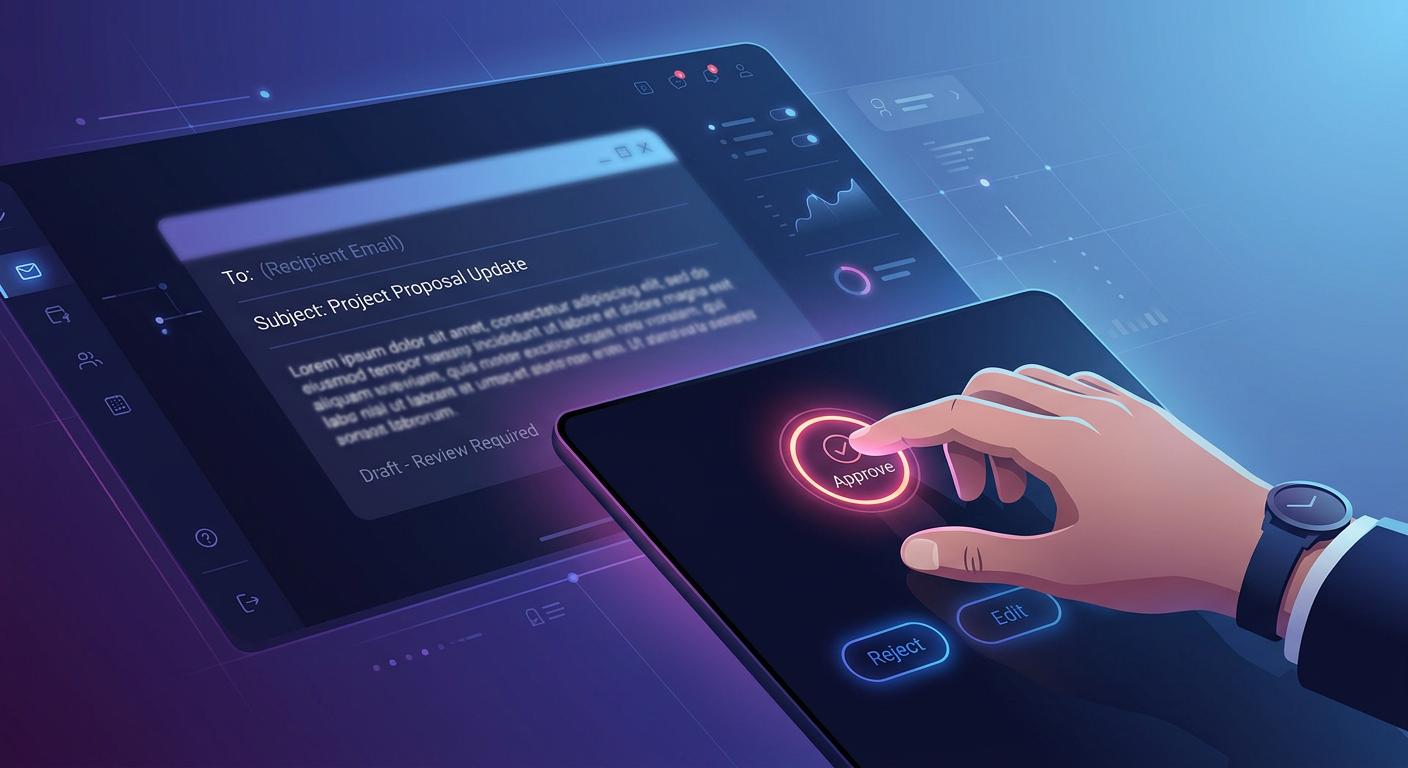
The technical term for this is a Human-in-the-Loop gate. In plain English: a checkpoint. A moment where the machine stops, shows its work to a human, and waits for a green light before proceeding.
2. The Approval Gate — How It Actually Works
The concept is straightforward once you see it in practice.
The Old Way: → Someone on the team drafts the email from scratch → They search the CRM (the system used to manage client records) for the right contact → They check the job title, the tone, the correct candidate name → They write the email, reread it twice, and hit send → 15 to 20 minutes of someone's time, every time, for every client communication
The New Way (with a Human-in-the-Loop gate): → The AI drafts the email automatically, pulling the correct name, client, role and context from your systems → The email is saved as a draft — nothing is sent → An alert fires to the relevant team member via Slack or Teams: "Draft ready for your review — click here to approve, edit, or discard" → The human reads it, confirms it looks right, clicks Approve → The email sends
Result: The grunt work — drafting, formatting, pulling the right details — is gone. The judgment call stays with the person who earned it.
The human is not removed from the process. They are repositioned inside it. Instead of spending 20 minutes writing the email, they spend 90 seconds checking it. The AI handles the legwork. The human keeps the keys.
This is not a compromise. This is the design.
3. The Maths of a Mistake vs. The Maths of a Gate
It is worth putting numbers on this, because the conversation usually stays abstract when it should be concrete.
Take a team of four account managers, each sending an average of six client-facing emails per day. That is 24 emails daily, 120 per week, roughly 6,000 per year. At 15 minutes per email — drafting, checking, sending — that is 1,500 hours of team time annually. At a fully-loaded employee cost of £31.25 per hour (a £50,000 salary across 1,600 productive hours), that is £46,875 a year spent on writing emails.
Now consider the approval gate. The AI drafts all 6,000 emails. Each human review takes 90 seconds on average — reading, approving, occasionally editing. Total human time: 150 hours per year. Cost: £4,688.
The gate does not cost efficiency. It saves £42,000 in staff time and introduces a consistent quality check that manual drafting never had.
And the cost of a genuine mistake — a wrong figure sent to a key client, a confidential candidate name included in the wrong thread, an incorrect start date confirmed in writing? That is not a number anyone wants to calculate after the fact.
The gate is not insurance with a hefty premium. It costs almost nothing to run. It exists to catch the one email in a thousand that the AI gets wrong — while the other 999 go out faster, more consistently, and without anyone losing 20 minutes of their afternoon.
4. Where Gates Go — and Where They Don't
The practical question is: which actions get a gate, and which run fully automatically?
The answer follows a simple principle: the higher the external visibility and the harder it is to undo, the more important the gate.
Actions that typically run fully automatically: → Filing documents and attachments into the right folders → Updating internal records in your CRM when a status changes → Generating internal reports and summaries → Sending automated internal alerts to your own team → Logging calls, meetings, and notes
Actions that typically require a human gate: → Any outbound email to a client or candidate → Any communication that references a price, a date, or a contractual term → Any public-facing message (social posts, review responses) → Invoices and financial documents → Any action that cannot be easily undone once it goes out
The line is not about whether the AI is capable of doing something correctly. It usually is. The line is about consequence. Automate the invisible work. Gate the visible decisions.
Summary
The MD in that meeting room was not wrong to ask the question. He was wrong to let it end the conversation.
AI automation was never designed to remove humans from high-stakes decisions. It was designed to remove humans from the hours of low-stakes work that surround them. The Human-in-the-Loop gate is not a workaround or a limitation — it is a core architectural principle in any professional implementation.
You do not hand AI the keys and walk away. You hand AI the legwork and keep the keys yourself.
The businesses that understand this distinction are the ones building automation that actually sticks — that their teams trust, that their clients never notice, and that quietly returns thousands of hours a year to people who have better things to do.
If you want to understand which of your processes are ready to run automatically and which need a gate — that is exactly what the AI Opportunity Audit maps out. It is free, it is specific to your business, and it takes the guesswork out of where to start.
Book your free Audit here: www.aideal.group
Thanks for reading!